
01
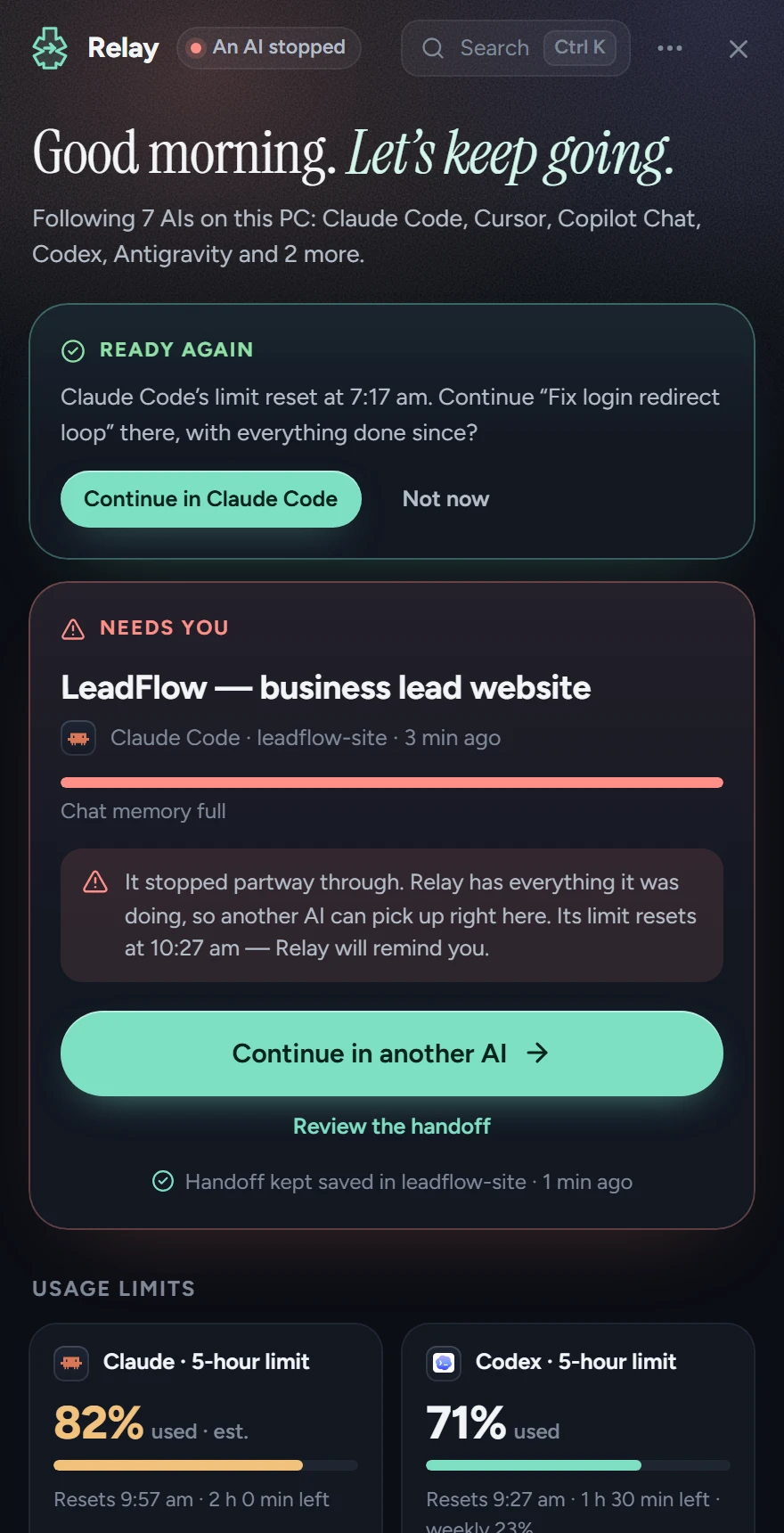
Knows your limits
See when Claude’s 5-hour window resets and roughly how much is used, Codex’s exact numbers, and how full each chat’s memory is. When a limit resets, Relay offers to bring the newest work back.
Relay watches your AI chats — Claude Code, Codex, Cursor, Copilot, Cline, Gemini CLI and more. The moment one hits its limit, it hands everything to the next AI, so you never explain the job twice.
Free · Windows 10 and 11 · no API key needed
Relay is a Windows app. Open this page on your Windows PC to download it.
Reads from any AI agent on your PC. Hands off to whichever one you pick next.
 Claude Code
 Codex
Codex Antigravity
 Cursor
 Copilot
 Gemini CLI
 Cline
Cline ChatGPT
 Gemini
The handoff
The next AI gets exactly what a fresh pair of hands needs, and goes straight to work.
# Continue: LeadFlow — business lead website

You’re taking over a task from another AI (Claude Code), which stopped at its usage limit. This brief is everything you need — the earlier conversation isn’t available.
Start working right away. Don’t restart the project, don’t redo finished work, and follow the user’s rules exactly.

## Your next step
Start with: Services page with 6 cards: Add the remaining three service cards (Email nurture, CRM setup, Analytics). Then continue down “Still to do”.

## Goal
> Build a complete business lead-generation website from start to end for LeadFlow: home, about, services, pricing, contact and a footer. Plain HTML, CSS and a little JS. Every page needs a lead form that posts to /api/lead.

Most recent request (wins if it conflicts with the above):
> Now do the services cards and then the footer. My test key is [REDACTED:stripe-key] — use it for the demo.

## Rules from the user — follow exactly
- Don't use Bootstrap — plain HTML, CSS and a little JS.
- Keep the hero headline exactly "Turn visitors into booked calls".
- Make sure the forms validate email before sending.
- Always keep the nav sticky.

## Already done — don’t redo
- Shared styles + design tokens
- Home page with hero + lead form
- About page

## Still to do, in order
1. Services page with 6 cards (was in progress — check what already exists)
2. Pricing page (3 tiers)
3. Contact page + map
4. Shared footer partial

## Where the previous AI stopped
It hit its usage limit (“Claude usage limit reached · resets 5pm”).

## Open problems
- `npx serve . -p 3000` failed: address already in use :::3000

## Files changed so far
- `services.html` · `index.html` · `about.html` — created
- `styles/main.css` · `styles/tokens.css` · `js/lead-form.js` — created
Features
See when Claude’s 5-hour window resets and roughly how much is used, Codex’s exact numbers, and how full each chat’s memory is. When a limit resets, Relay offers to bring the newest work back.
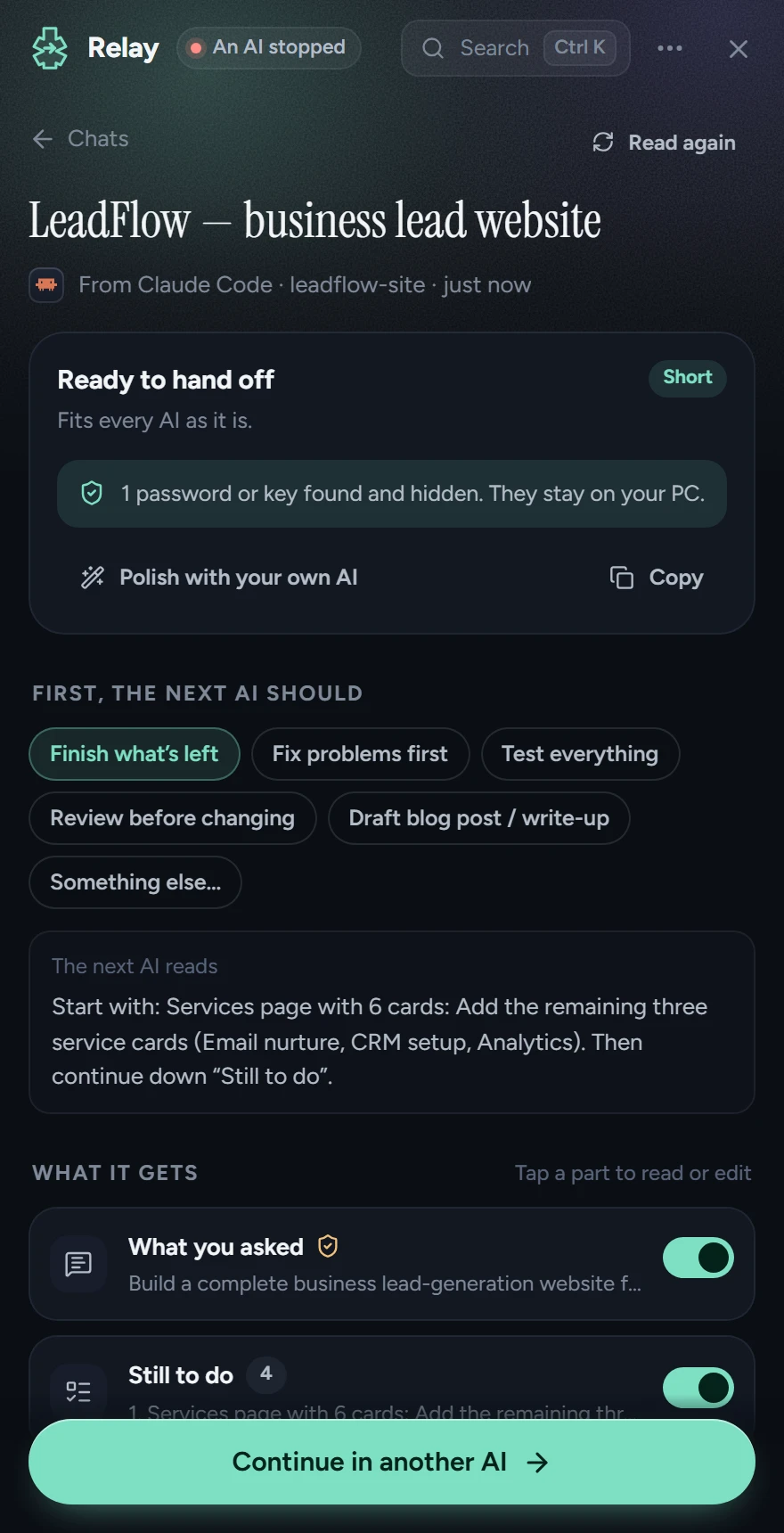
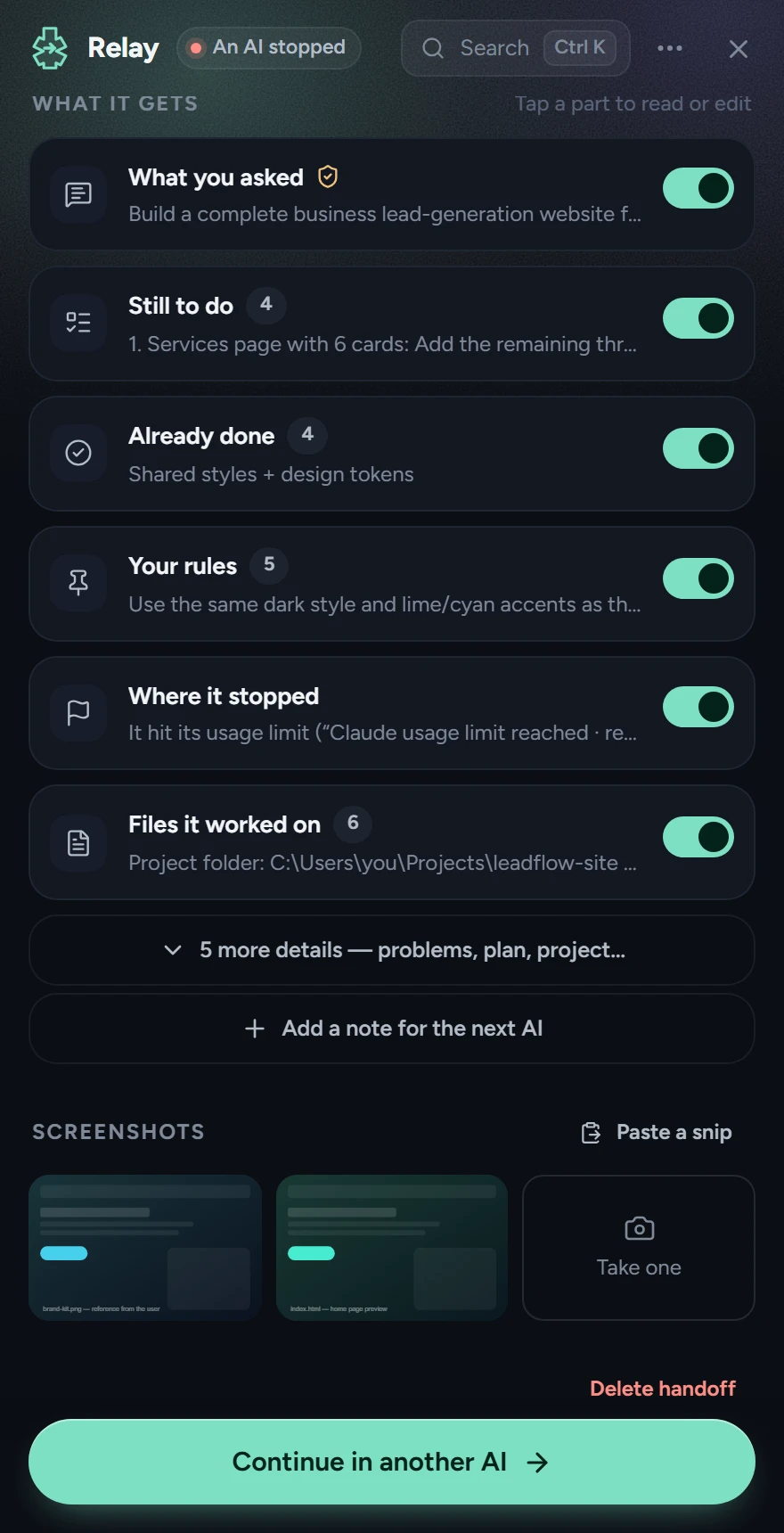
Relay reads the chat any AI agent already saved, from Claude Code to Cursor to Cline, and keeps what matters: your goal, your rules, what’s done, what’s left, where it stopped and which files changed. Tap any part to read or edit it before it goes.
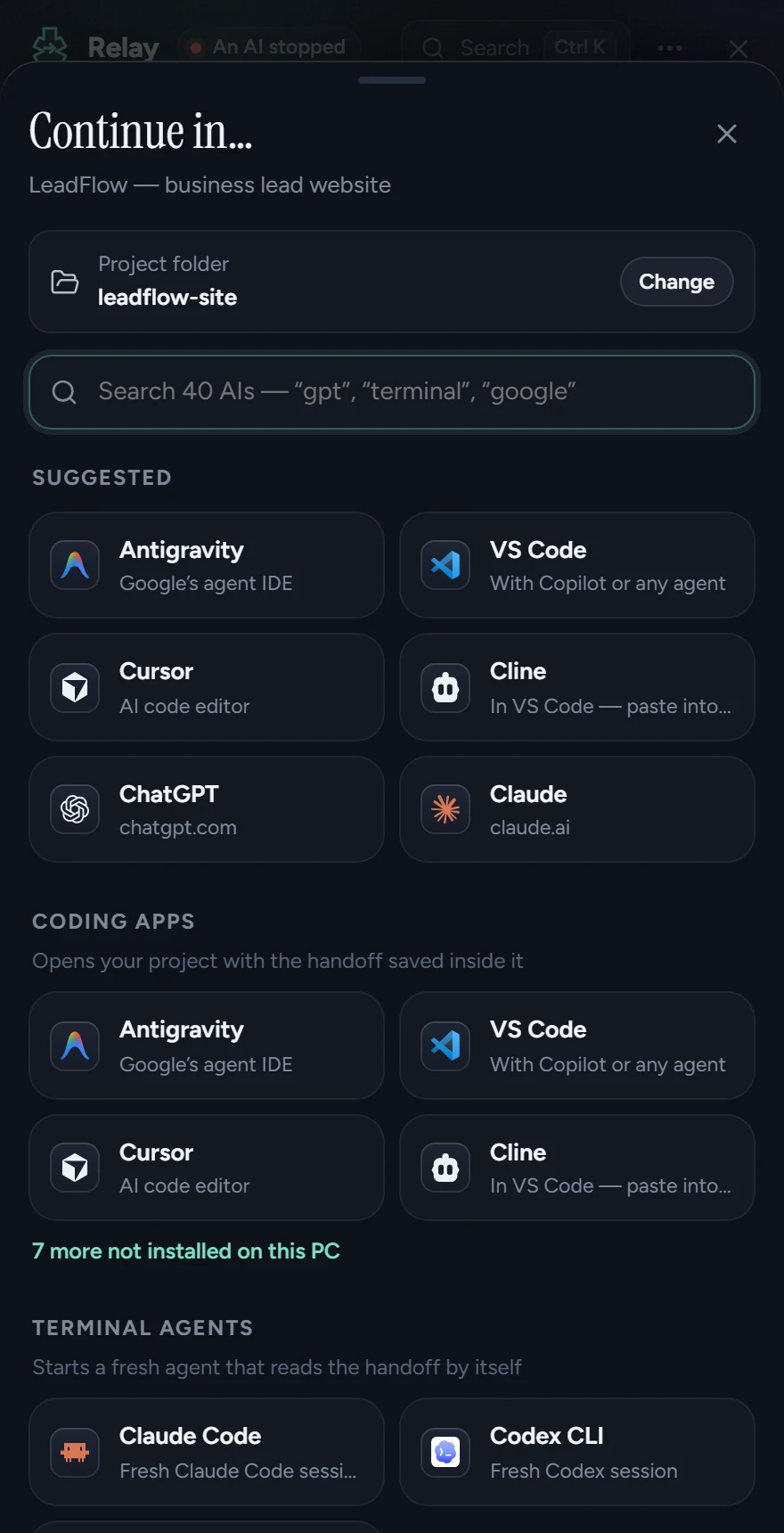
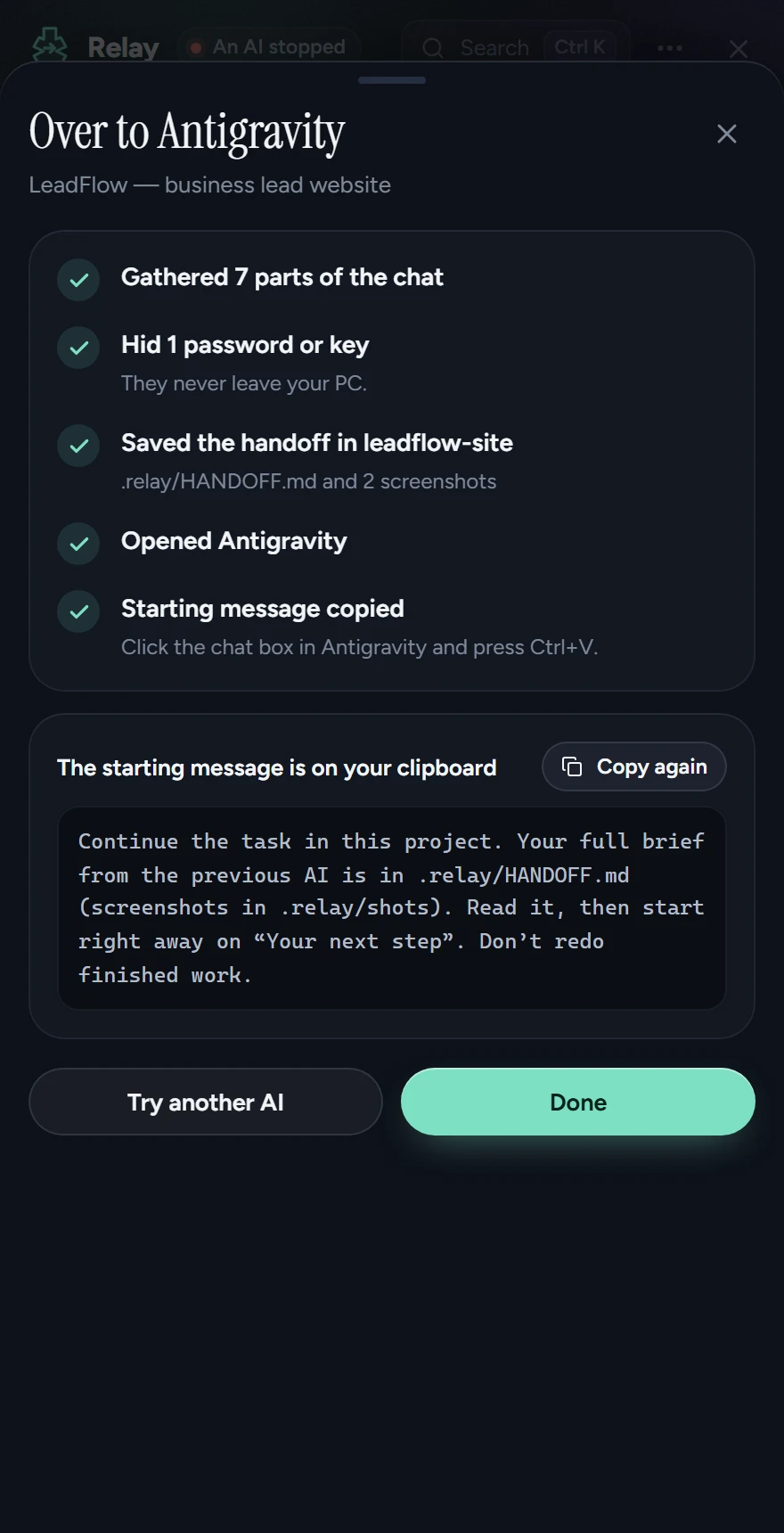
Pick from 40 AIs, or type “gpt” or “terminal” to find one. Your usual AI is one tap. Relay saves the handoff in your project, opens the app and copies a short starting message. Paste, and it carries on.
A small button lives on the edge of your screen. Click it and Relay opens over your work; click again and it’s gone. Its dot turns red when an AI stops. Drag it anywhere along the edge, and it hides for full-screen videos and games.
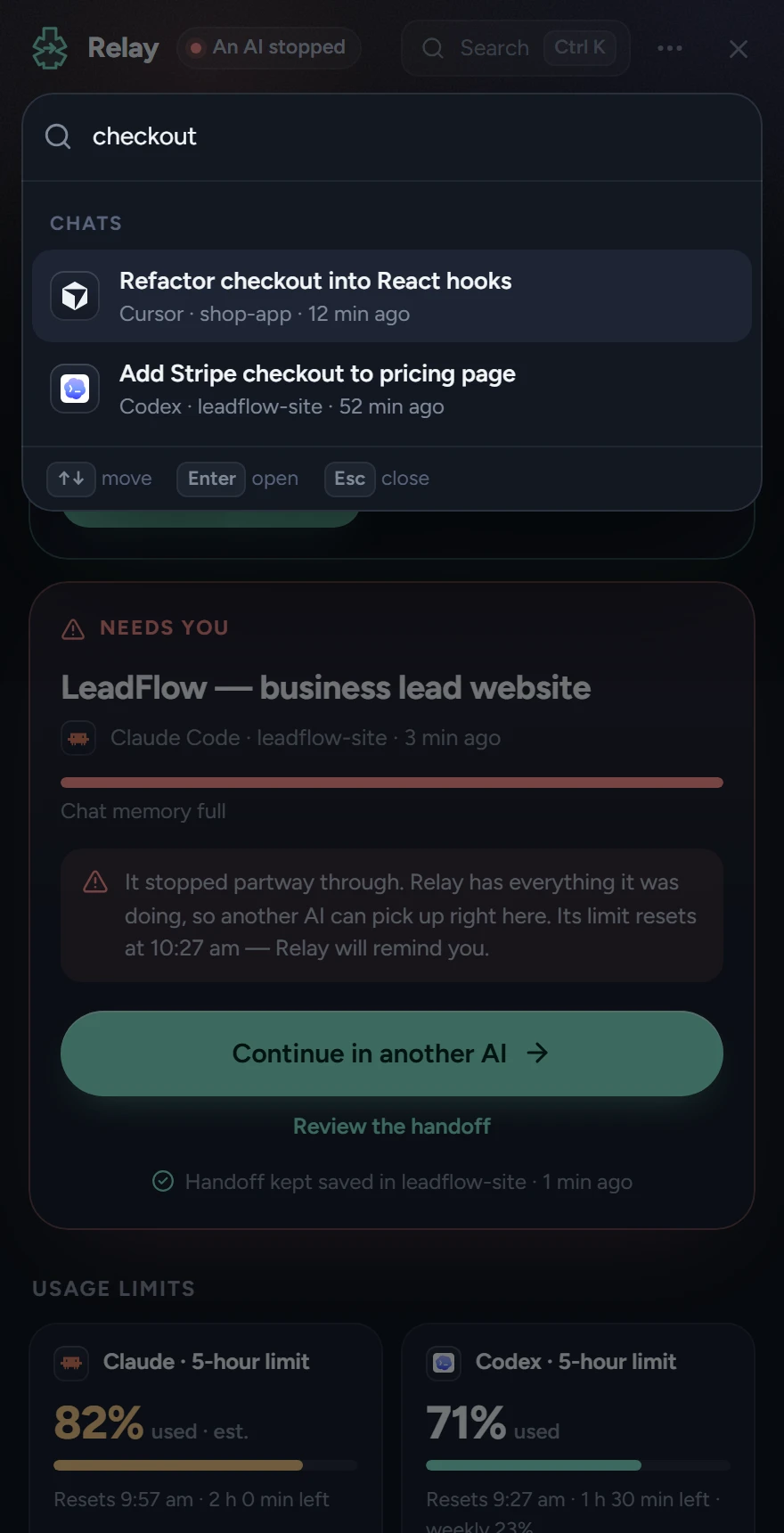
One box searches every chat from every AI, by title or by what was said inside it, plus every AI you can continue in and every action. Arrow keys, Enter, done.
Works with
Relay reads the chats 13 AI tools already save, plus any folder or export you add, and hands off to 40 AIs or your own.
Reads from
Claude CodeCodexAntigravityCursorCopilot ChatGemini CLICline Roo Code
 Kilo Code
 OpenCode
 Qwen Code
Hands off to
Antigravity VS CodeCursor
 Windsurf
 KiroClaude CodeCodex CLIGemini CLIOpenCodeChatGPT
 ClaudeGemini
 Perplexity
 DeepSeek
 Grok
Grok Le Chat
 Lovable
Logos are trademarks of their owners. Relay isn’t affiliated with them.
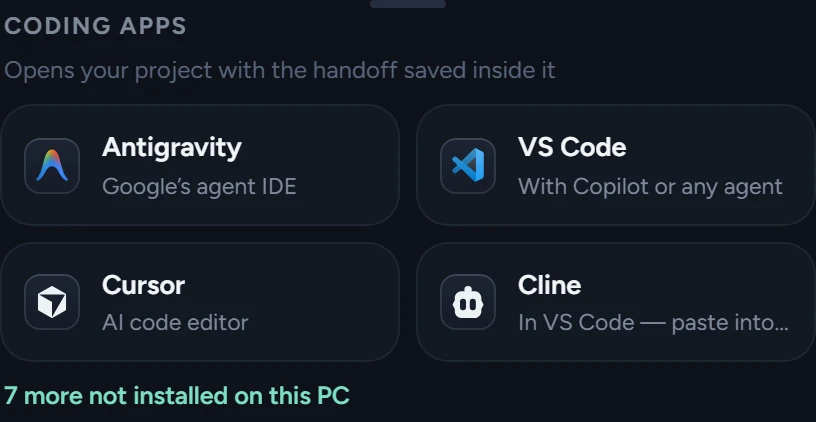
Opens your project with the handoff saved inside it.
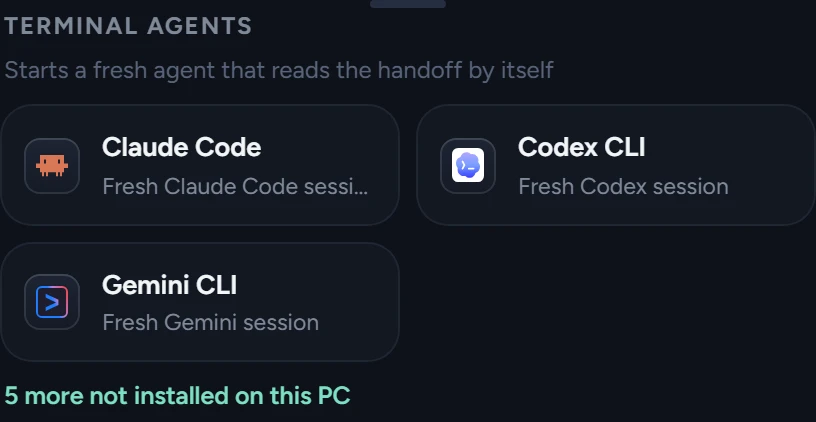
Starts a fresh agent that reads the handoff itself.
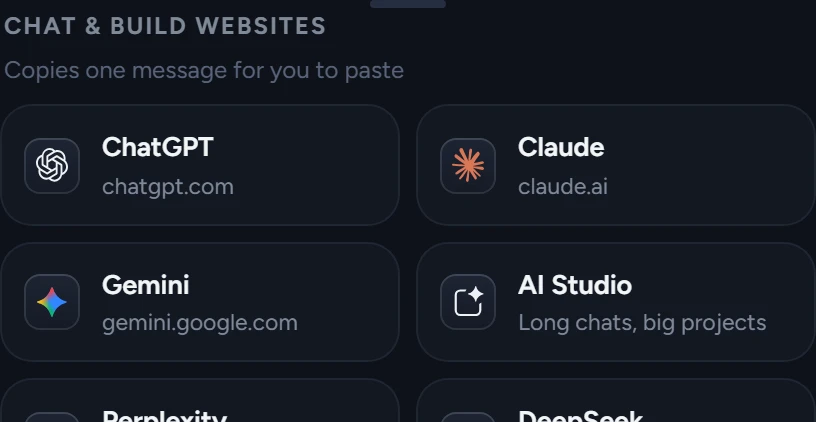
Copies one trimmed message, ready to paste.
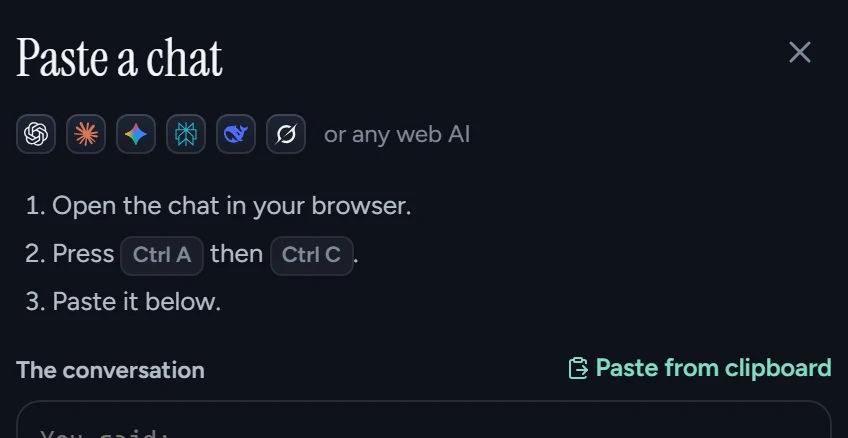
Paste a web chat, import a ChatGPT or Claude export, or add your own app, command or site.
Download
Installs just for you, with no admin rights, and can start with Windows as a small button on the screen edge.
Free5 MB
Download installerNothing to install. Run Relay from any folder; it shares settings with the installed app.
Free11 MB
Download portableRelay writes handoffs offline with its own rules. Add a key for Anthropic, OpenAI, Gemini or OpenRouter, or run Ollama, for an even sharper brief.
Your keystays on your PC
How keys are keptPrivacy
No account, no sign-up, no tracking. Relay only talks to the internet if you add your own AI key, and then only to the provider you chose.
Relay reads the chat files your AI apps already save. It never edits them.
Keys, tokens and passwords are taken out of every handoff before it leaves.
Your AI keys go to Windows Credential Manager, never into files.
Closed, Relay is just the button on the screen edge, using about 50 MB.
Relay reads chats from Claude Code, Codex, Antigravity, Cursor, GitHub Copilot Chat, Gemini CLI, Qwen Code, Cline, Roo Code, Kilo Code, OpenCode, Continue and Aider, plus any folder where another AI saves its chats as JSON, Markdown or text. It hands off to 40 AIs: coding apps like VS Code, Cursor, Windsurf, Kiro, Trae, Zed and JetBrains; terminal agents like Claude Code, Codex, Gemini CLI, OpenCode, Copilot CLI and Aider; and chat sites like ChatGPT, Claude, Gemini, Perplexity, DeepSeek, Grok and Le Chat. You can add your own app, command or website in Settings.
No. Relay writes the handoff with its own rules, offline. If you add a key (Anthropic, OpenAI, Gemini, OpenRouter, Ollama or any OpenAI-compatible server), it can write a clearer brief.
For Claude, Relay counts usage in your Claude Code chats to see when the current 5-hour window started and when it resets. After you’ve hit the limit once, it estimates how much is used. Codex reports exact percentages, and Relay shows them as they are. Chats on claude.ai share the limit but aren’t visible to Relay.
No. Relay is a small button on the edge of your screen. Click it and the panel opens over your windows; click it again or press Esc and it’s gone. Drag the button up or down if it covers something. It steps aside for full-screen videos and games.
They stay on your PC. Relay writes the handoff into a .relay folder inside your project, and that folder ignores itself in git. Older handoffs are kept in .relay/history.
Yes, both ways. As a destination, Relay copies the whole handoff as one message and opens the site. As a source, paste the conversation into Relay, or import your ChatGPT or Claude data export and pick the chat to continue.
Some Windows 11 PCs have Smart App Control turned on, which blocks every app that isn’t code-signed, with no “Run anyway” button. Relay will never ask you to change security settings. A signed release is on the way.
Not yet. Relay is Windows only for now.
Quit from the tray icon (Quit Relay). Uninstall from Windows Settings → Apps. Your settings stay in %APPDATA%\com.relay.app until you delete that folder.